Today, many workplaces rely on interconnected systems and data. As a result, efficient workstation management is crucial, especially when the computers you need to control are located elsewhere. Whether you’re managing a data center, a security control room, or a high-performance computing setup, a KVM Extender can help bridge the distance between users and their computers.
A KVM extender extends the connection between a computer and a user’s workstation, allowing users to access and control the computer from a distance. But how does this technology work, and where is it most useful? Let’s take a closer look.
KVM Extender Basics
KVM stands for Keyboard, Video, and Mouse. In a typical setup, a KVM switch allows a single set of peripherals to control multiple computers. A KVM extender serves a different purpose: it extends the connection between a computer and its peripherals over a longer distance.
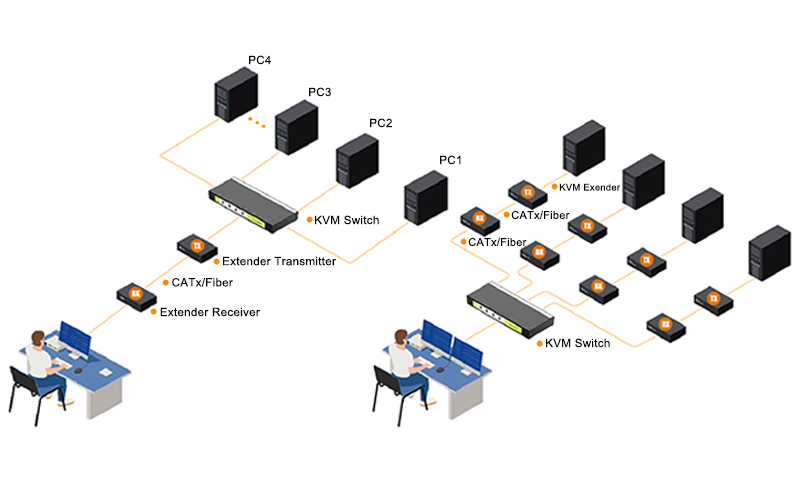
More specifically, a KVM extender consists of a transmitter (Tx) and a receiver (Rx). The transmitter sends the computer’s video, USB, and other signals to the receiver, allowing users to operate the computer from a remote location. Depending on the model and transmission medium, the connection can extend far beyond the typical limits of direct USB, VGA, HDMI, or DisplayPort cables.
How Does KVM Extender(s) Work?
KVM extenders allow users to control computers from a remote location. Although they serve the same basic purpose, they use two main architectures: Point-to-Point Extenders and IP-Based Matrix Extenders. Each approach offers different advantages depending on the application.
Point-to-Point Extenders: The Direct Link
Point-to-point extenders are a traditional and widely used type of KVM extender. In this setup, they create a dedicated connection between a computer and a remote workstation, transmitting KVM signals over long distances without relying on a shared IP network.
How It Works:
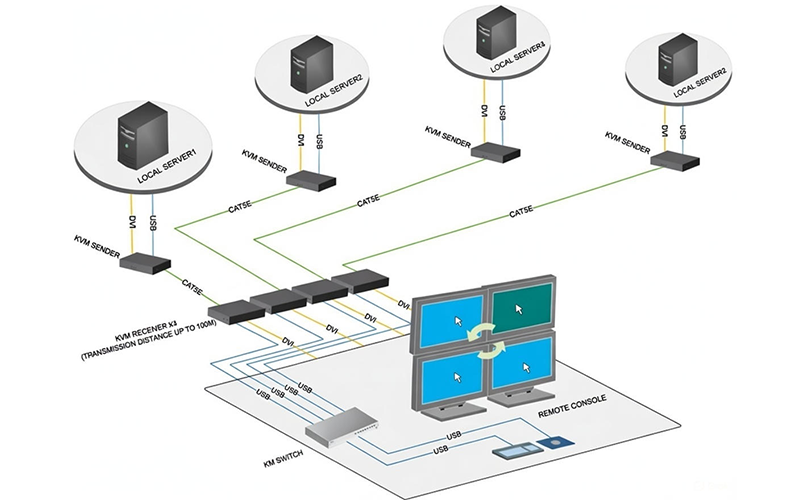
A point-to-point system consists of two matched devices: a transmitter (Tx) and a receiver (Rx).
➢ First, the transmitter connects directly to the computer’s video output (HDMI, DisplayPort, or VGA) and USB ports. It captures these signals and encodes them into a proprietary format to help maintain signal integrity and minimize latency. The encoded signals then travel to the receiver through a dedicated cable.
➢ Next, the transmission medium is typically a single CATx cable (e.g., CAT6) or a fiber-optic cable connecting the transmitter and receiver. This dedicated link carries the KVM signals between the two devices.
➢ Finally, the receiver, located at the user’s workstation, decodes the incoming signals and delivers video, USB (keyboard and mouse), and, in some models, audio to the connected monitor and peripherals.
Key Characteristics:
● Performance: Provides low-latency signal transmission, making it suitable for real-time applications such as CAD and video editing.
● Simplicity: Setup is straightforward—connect the pair with a cable. There’s no network configuration required.
● Security: The direct connection keeps KVM signals separate from the shared corporate network, reducing exposure to network-based threats.
● Limitation: Point-to-point extenders typically provide a dedicated, one-to-one connection. However, to control multiple remote computers, users generally need a separate extender pair for each computer. As a result, cabling requirements and the number of receivers at the workstation may increase.
Application
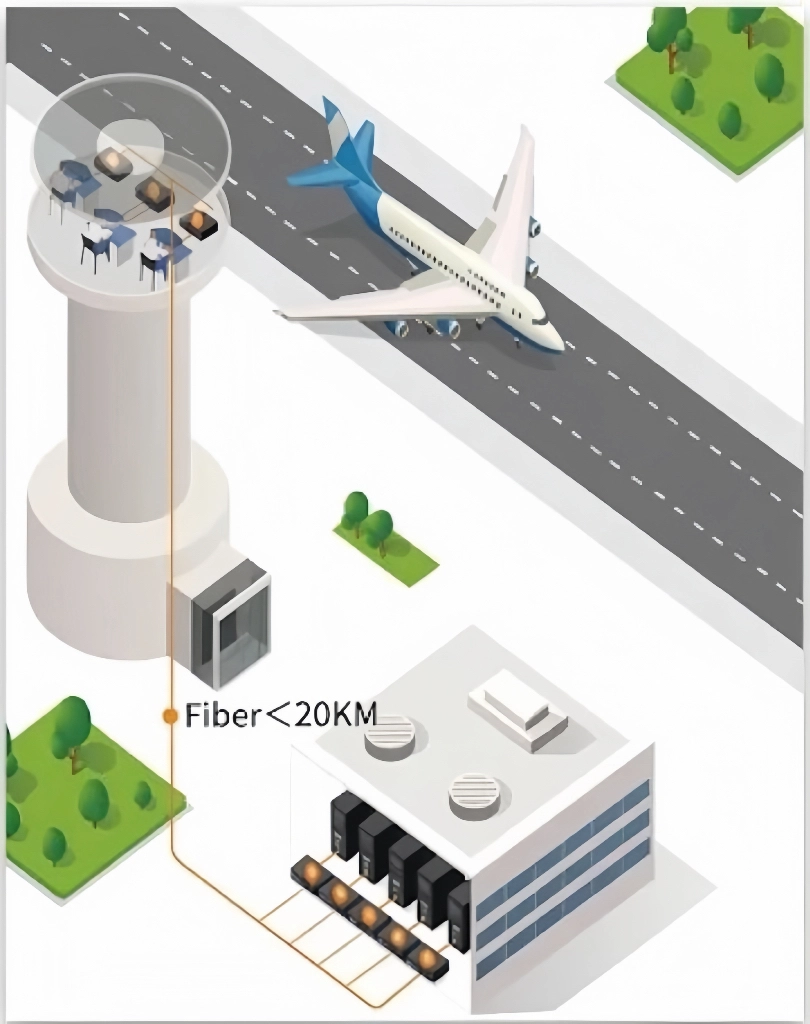
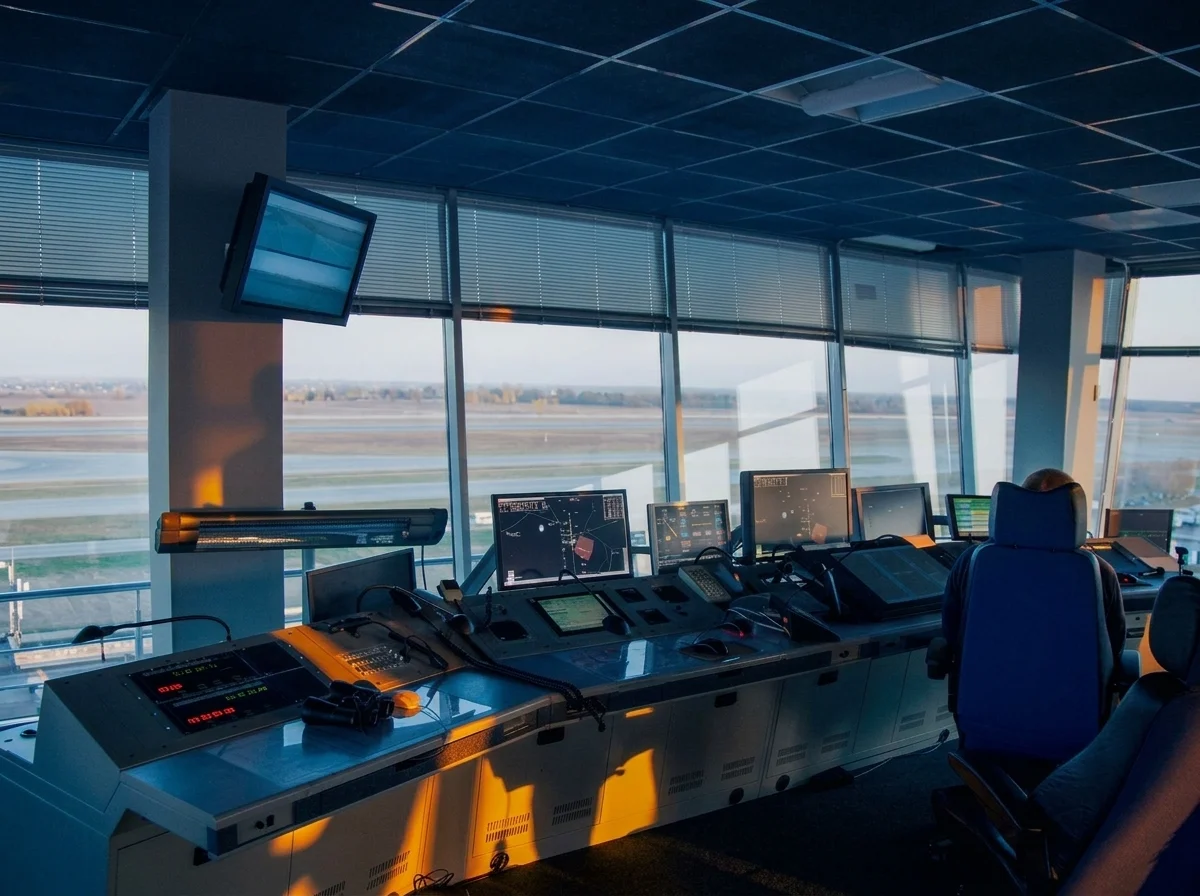
● Air Traffic Control Towers: Delivers real-time radar and surveillance video to controllers with low latency, while allowing servers to be located away from the control room.
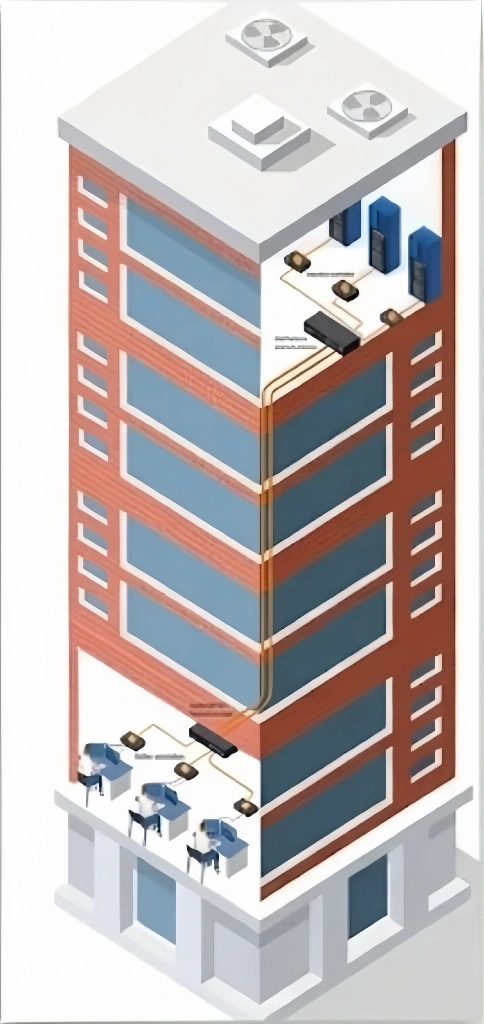
● Cross-Floor/Remote Desks: Provides a cost-effective way to locate high-performance computers away from users’ workspaces while making use of existing building cabling.
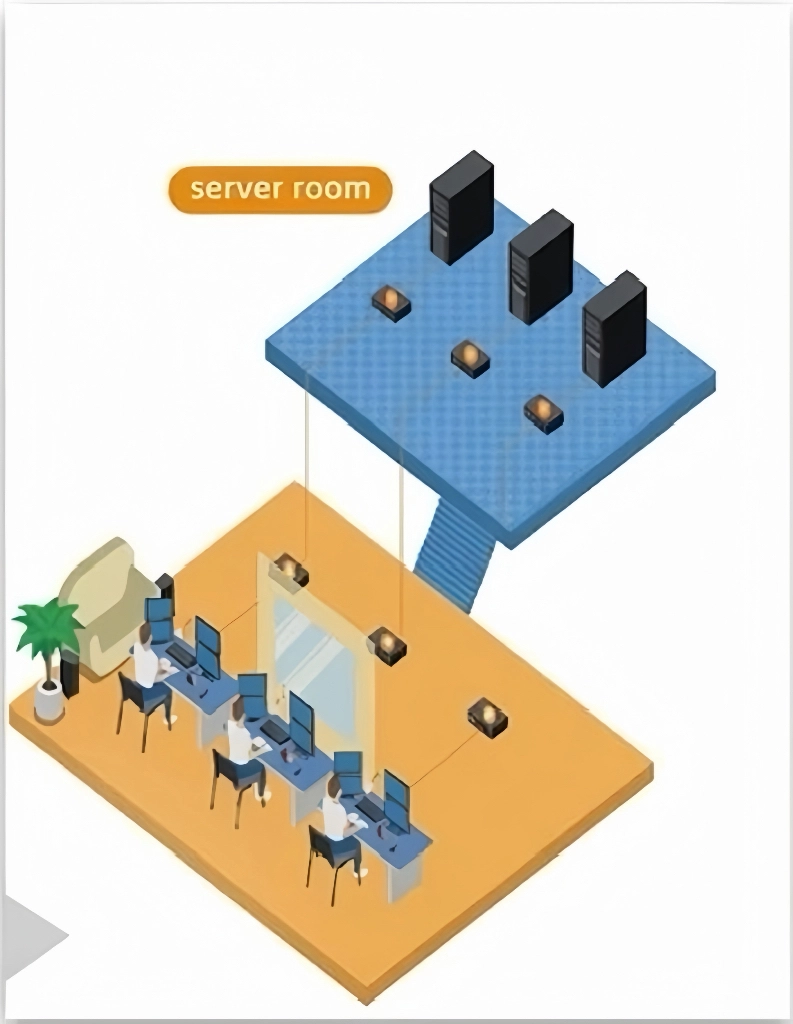
● Industrial Control Rooms: Allows sensitive computers to remain in harsh factory environments while operators access and control them from safer, centralized workstations.
IP-Based Matrix Extenders: The Networked Hub
Unlike point-to-point systems, IP-based matrix extenders use standard network infrastructure to support more flexible and scalable connections.
How It Works:
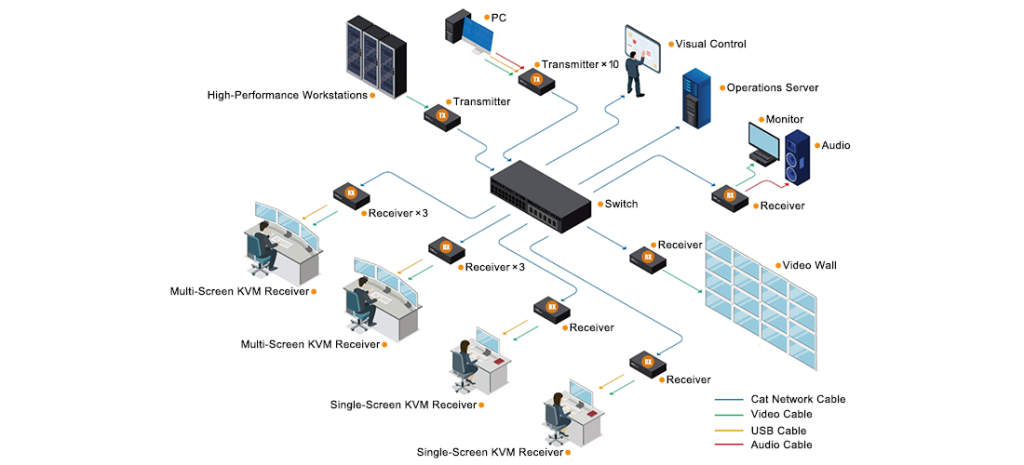
IP KVM systems replace the dedicated cable with a standard Ethernet network (LAN).
➢ At the computer end, an IP Tx captures the KVM signals and converts them into IP data packets for transmission over the network. Depending on the system, the signals may also be digitally compressed before transmission.
➢ Instead of using a dedicated point-to-point cable, the packets travel over a standard IP network through a network switch. With suitable network infrastructure, the system can connect computers across a room, throughout a building, or across geographically separate locations.
➢ At the user end, an IP Rx or a software client on a PC receives the packets and decodes the incoming data. The video and control interface is then presented to the user.
➢ The real power of an IP KVM Matrix lies in its software-based management. Through a central management system, any user station (decoder or client) can connect to any computer (encoder) on the network. Users can switch between connections dynamically, creating a flexible, many-to-many access architecture.
Key Characteristics:
● Scalability & Flexibility: New computers (encoders) and user stations (decoders) can be added to the network as needed. Users can access connected systems from different stations and switch between them through the central management system.
● Distance: Unlike point-to-point connections, IP-based systems are not limited by the length of a dedicated cable. With suitable network infrastructure, users can access computers locally or remotely over a wide area network (WAN). However, latency may increase with network distance.
● Integration: Can integrate with existing IT infrastructure. Depending on the system, additional features may include multi-user access, session recording, and integration with other IT management tools.
● Considerations: Encoding/decoding and network traffic can introduce additional latency, depending on the system and network conditions. A well-designed network is essential, with Gigabit Ethernet or higher recommended where required. Therefore, cybersecurity measures should also be considered, since KVM traffic shares the data network.
Applications
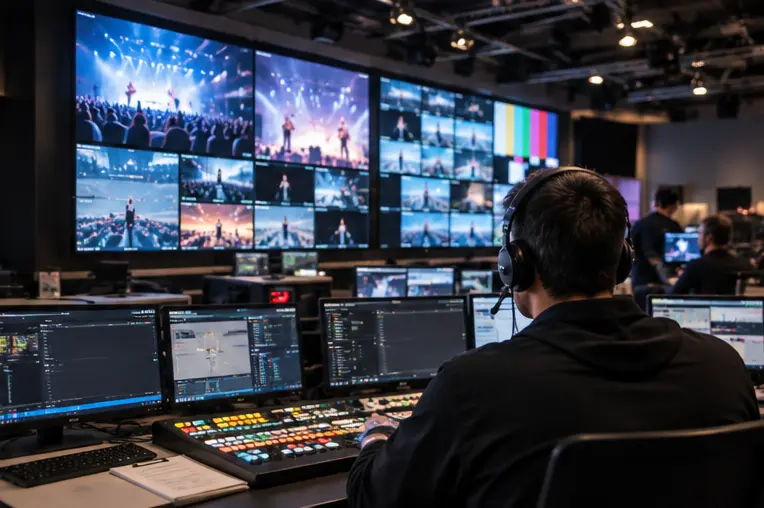

● Power Grid Dispatch: Enables centralized access to computers across geographically dispersed substations and power plants, allowing operators to monitor and manage systems from a central control station.
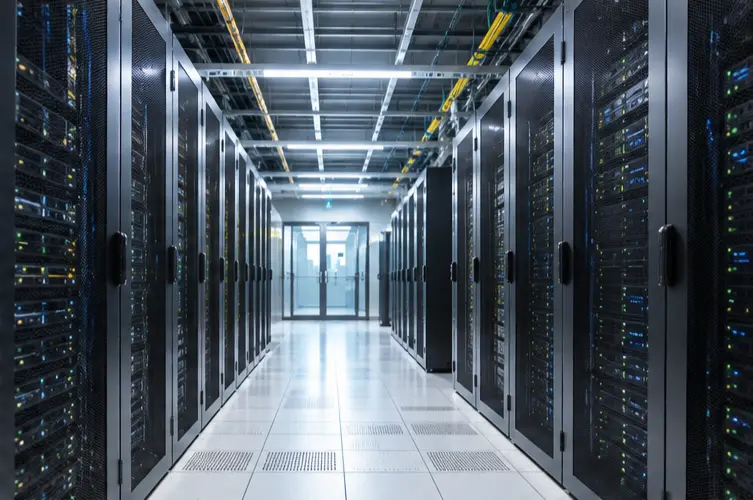
● Data Centers: Enables remote access to servers from a console outside the noisy server room, helping improve operational efficiency and keeping equipment in a centralized environment.
● Manufacturing / Semiconductor Industry: Allows support staff to remotely troubleshoot computers on the production floor without disrupting operations or entering controlled production areas.
Conclusion
KVM extenders do more than replace long cables. They help create efficient and flexible operational environments by allowing users to access computers from a distance. This separation can also help keep computer hardware in controlled locations while users work from more suitable workstations.
For example, whether you’re planning a new control room, upgrading a data center, or operating computers across multiple rooms, a KVM extender can help meet your remote access needs. As display standards evolve and remote management becomes more common, KVM extenders will continue to support flexible and efficient workstation setups.