Introduction
In one KVM switch or extender kit, we can often see in the product title highlighting “Cat5” or “RJ45”. In our daily lives, apart from KVM devices, we can also see these two things from products related to routers, PC towers, TV boxes, and so on.
Based on these application scenarios, we may infer that Cat5 and RJ45 are both in use for data transmission. Exactly because the usage of Cat5 and RJ45 seem to be overlapping somehow, many people might confuse these two things together. For example, “Cat5 cable” or “RJ45 cable” — are they the same things or which one is the true one?
If you ever had this kind of confusion, in this article, we will explain what exactly Cat5 and RJ45 are, and what roles they specifically play in data transmission and in our daily lives.
Cat5 Brief Definition
What is Cat5
“Cat” is short for “Category”. It is specifically used to classify the type of Ethernet cables. Since Ethernet has been a remarkable technology widely used worldwide, Category cable as its network transmission medium is just right widely used after that. If we call all the data that is transmitted through the network as various vehicles, then Ethernet cables play a role as those highways along the way.
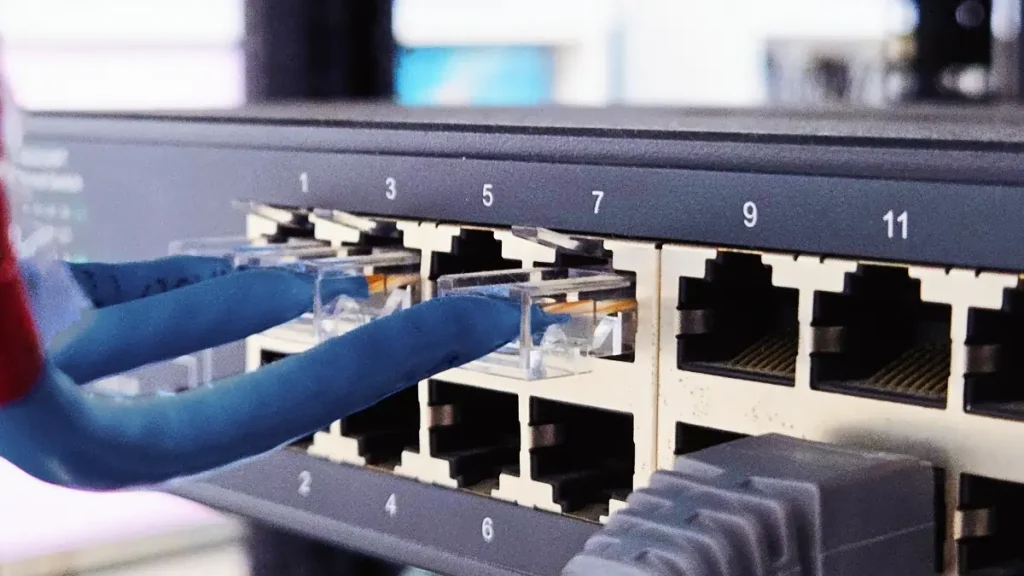
There are different specs of Category cable which are labeled with corresponding numbers, such as Cat1, Cat2, and Cat5. The standards to distinct and label different Categories are officially defined in document ANSI/TIA-568. At first, they were used for telecommunication standards dating back to the telephone period. When we stepped into the internet period, these standards were retained for defining internet data transmission medium.
The different label numbers stand for different shielding types, styles, and capabilities of different cables. Usually, the higher the number that followed, the better performance indicated for the Ethernet cable. About the exact meaning and distinction of different types of Cat cable, we will discuss them in a later article.
Cat5 in KVM
Cat5 as one type of Category cables, it is commonly used in home networks. That means, it is a medium for local network data transmission, such as within a scope of a house. For KVM extender, if the application scenario is within a rather small scope (up to a radius of 150m), such as a building or a medium arena, then the Cat5 cable will come in handy.
Through Cat5 cable, various signals from your servers (including video signals, mouse signals, and keyboard signals) can be transmitted safely and at high efficiency. Meanwhile, the operation signals from your side, mostly away from the servers’ location, can also be transmitted to the original servers safely. Overall, with the usage of a Cat5 cable, your remote operation experience can be achieved in virtually no latency.
RJ45 Brief Definition
What is RJ45
Now we know that Cat5 is one type of Ethernet cable, namely one category of Ethernet “highways”, and we already know its usage in data transmission, especially in the context of KVM applications. Then let’s hop into the introduction of RJ45, a thing that sometimes is confused with Cat5.
When we are driving on a highway, it is hard for us to ignore that every highway is equipped with 2 checkpoints located respectively, at the entrance and at the exit. This is exactly the same as the Ethernet cable. Every cable needs ends for accessing the network ports. RJ45 is that kind of end. It is called a network connector.
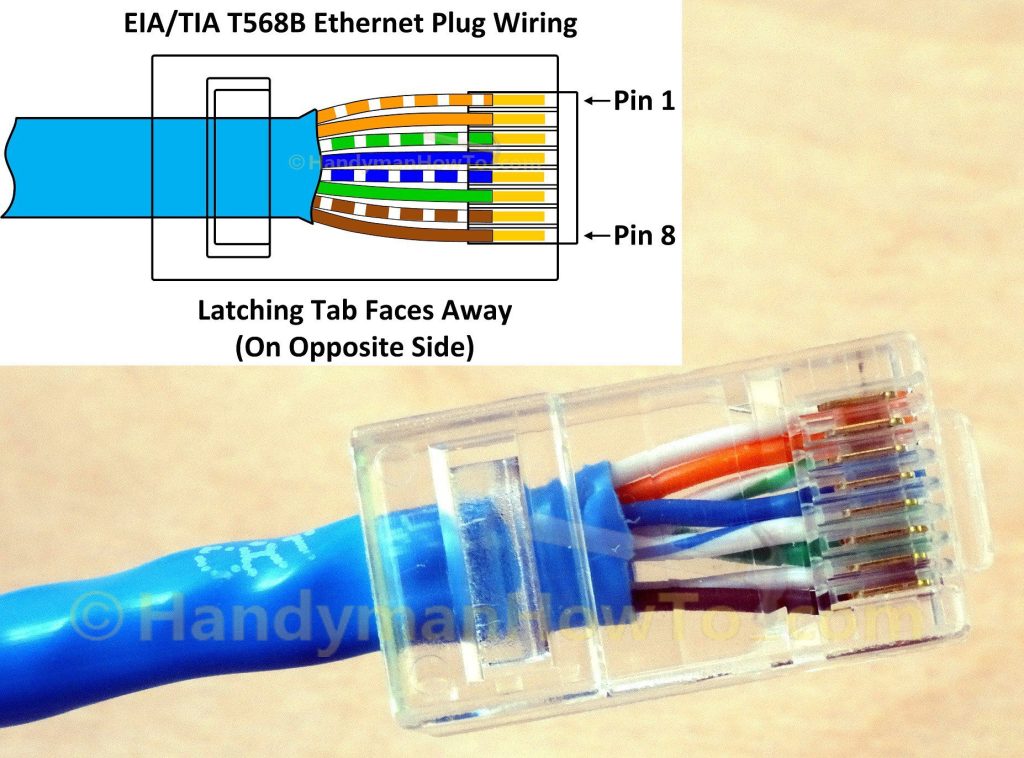
Cat5 cable and RJ45 matches well (image from: Source)
“RJ” stands for “Registered Jack”. RJ45 is a jack enbedded with an 8P8C plug. However, technically, RJ45 is not physically a connector, it includes a complete standard of usage guidelines for jack with 8 positions and 8 conductors. This standard is defined by the FCC (Federal Communications Commission) and is commonly used to describe connector enbeded with an 8P8C plug. But, established convention is also a form of rule. So it is acceptable and fine to describe an 8P8C plug as an RJ45 connector. Nobody will be confused if you say so.
RJ45 in KVM
We know through the previous introduction of Cat5 that we need Cat5 cables as the medium to transmit the signals within a certain distance. We also know that each cable needs two connectors at both ends. So this is exactly the usage of RJ45, for connecting KVM device and Cat5 cable like a signal choke.
Relationship between Cat5 and RJ45
Cat5 and RJ45 are just like a pair of companions. Cat5 features a structure of four twisted pairs of copper wires, meaning there will be 8 contact points at the end of each Cat5 cable. While RJ45 features a structure of 8P8C, it is with 8 positions for connecting wires and 8 conductors for contacting wire contact points. There are other types of plug that feature 8 positions, but only have 4 conductors. So the structures of RJ45 and Cat5 are perfectly compatible.
This perfect compatibility is pretty good when under the scenario of KVM application. That means with Cat5 and RJ45, the data transmission efficiency can be well-ensured. That’s why KVM manufacturers prefer planting RJ45 into the KVM extenders — enable good use of Cat5 cable, realizing a high data transmission speed, and promising nearly zero latency.
Conclusion
Now we know that Cat5 is a type of Ethernet cable, while RJ45 indicates a network connector. Think about the key function of KVM extender — extend the various signals. You can’t rely on a mega-long wire to extend the signals, or there might be risky of losing data. Taking good advantage of Ethernet by using Cat5 and accessing it with RJ45, the solution will greatly meet your KVM extension requirement.